
Small Business Website Design: Your Complete Guide
Table of Contents
1. Introduction
If you own a small, medium, starter, or community business, you know the feeling: the internet is your biggest opportunity, but building a website often feels like navigating a minefield. You’re trying to grow your sales, attract new customers, and build trust—yet you’re constantly bombarded by confusing technical jargon, conflicting advice on platforms, and wild estimates on cost.
This is the central challenge facing Australian small business owners today. Your website is no longer just an online brochure; it is your 24/7 sales engine, your customer service hub, and your most important digital asset. Get it right, and it becomes a powerful growth tool. Get it wrong, and you risk wasting thousands on a digital white elephant.
This comprehensive guide cuts through the noise, providing a clear, step-by-step roadmap that simplifies the entire process—from setting your initial strategy to launching your site and measuring its return on investment (ROI). We’ll show you exactly how to make strategic decisions, what features truly convert visitors into loyal customers, and how to position your business for success in the 2025 digital landscape.
2. What is the Role of a Website in a Modern Digital Strategy?
Do you really need a website if you’re already active on Facebook, Instagram, and Google Business Profile?
Yes, absolutely. While social media and Google Business Profile are critical for discovery and engagement, your website is the central, owned business headquarters where conversion, long-term trust, and true digital security reside. It acts as the non-negotiable foundation that validates your business and converts traffic into revenue.
A Melbourne personal trainer with stellar Instagram engagement and Google reviews was losing higher-paying clients to trainers with professional websites. This illustrates a common misconception: your digital presence isn’t either-or—it’s about creating a complete, cohesive digital ecosystem.
Expert Insight: The Hub and Spoke Model
Successful small businesses structure their digital strategy like a wheel, utilising the Hub and Spoke Model.
Your website is the central, protected hub—your digital real estate where you set the rules, control the branding, and own the data. This hub showcases your complete story, detailed services, pricing, and the in-depth information needed for prospects to make buying decisions.
Platforms like Facebook, Instagram, and Google Business Profile are the spokes. They excel at engagement and reaching new audiences, but their primary strategic job is to drive qualified traffic to your hub, where conversion happens. Crucially, social media is rented digital space—you’re building on someone else’s land where algorithms and rules can change overnight.
The Risk of Platform Dependency
Relying too heavily on a single platform creates significant business risk:
- The Algorithm Blackout: A Brisbane yoga studio built their community around a 2,000-member Facebook Group. When organic reach dropped by over 80%, they lost significant revenue because they had no website to capture customer emails or direct bookings.
- The Suspension Scenario: A Sydney plumber relied entirely on Google Business Profile for leads. When a competitor filed a false claim and both listings were suspended during investigation, he had zero online presence for three weeks.
Supporting Evidence: Consumer Trust
A professional website is non-negotiable for building consumer trust. Studies show that 75% of consumers judge a business’s credibility based entirely on website design, and 93% of Australians search online before purchasing a product or service.
We recommend a phased approach:
- Phase 1 – Foundation: Establish a Google Business Profile and begin social media on platforms where your customers spend time.
- Phase 2 – Digital Hub (3-6 months): Launch a professional website, even a simple, focused one-page site for credibility and control.
- Phase 3 – Integration (6-12 months): Connect all elements into a cohesive strategy using social media to drive traffic and implement tracking to measure ROI.
Closing Takeaway: Never let your business success depend on rented platforms. Build your digital strategy with your website as the central, protected core to ensure maximum control, long-term security, and reliable conversion power.
At Illume Digital, we understand every business is at a different stage. We support you wherever you are right now with digital consultations, competitor analysis, online presence audits, and market research. Contact us for a straightforward conversation about your strategic path forward.
3. How Does a Website Bring You Customers and Sales?
Can a website actually generate revenue, or is it just an expensive digital brochure?
Your website generates customers through five interconnected systems working 24/7: capturing search traffic, verifying referrals, building instant credibility, converting social media followers, and qualifying leads automatically.

A Perth carpenter discovered that 86% of people who heard his name immediately searched for him online before calling. Without a website, they found competitors instead.
The Modern Customer Research Journey
Today’s customers follow a predictable path: hear about your business, then immediately research online before making contact. 93% of Australians search online for local brands before purchasing. Your website isn’t replacing referrals—it’s the crucial verification step determining whether referrals convert.
Active Lead Generation Through SEO
Search Engine Optimisation transforms your website into a 24/7 lead generation machine, bringing qualified prospects at the exact moment they’re searching. When someone searches “electrician near me” or “wedding photographer Sydney,” proper optimisation ensures your business appears, capturing customers with clear purchase intent.
This targeted traffic converts dramatically better than general advertising because these visitors already have problems and actively seek solutions. Small businesses with professional websites typically see 25% growth through improved lead generation.
The Complete Digital Ecosystem
Your Google Business Profile and website work together as a powerful system. Customers discover you through Google Business Profile, then click to your website for comprehensive information. Social platforms excel at engagement, but your website provides owned digital real estate with complete control and the ability to convert followers into leads.
Building Credibility and Capturing Leads
75% of consumers judge business credibility based on website design quality, and this judgment happens within seconds. Professional websites attract higher-value customers willing to pay premium prices.
While you’re busy running your business, your website works continuously to showcase expertise, answer questions, and capture leads through strategically placed forms and calls-to-action.
For strategies on maximising these benefits, our SEO Services help capture high-intent traffic and convert it into paying customers.
4. What Should Your Website Actually Achieve?
How do you define success for your website, and what metrics actually matter?
Success is measured by conversions, not traffic.
Before any design, ask: What problem are you solving, and who are you serving? Your website must convert, not just host static information. Defining its purpose—lead generation, e-commerce, or brand credibility—is the first step in ensuring positive Return on Investment (ROI).
The Purpose-Driven Website Framework
Your purpose dictates every feature: Lead Generation needs prominent CTAs and forms; E-commerce demands secure checkout; Brand Credibility requires professional design and testimonials; Service Hubs need FAQs and booking systems.
Defining Your Ideal Customer
Knowing exactly who you serve shapes every design and content choice. A site for young professionals differs from one for retirees. Define demographics, but critically, understand the problems that keep them up at night and what objections prevent action.
When purpose and audience align, every element works synergistically. In 2025, Australian small businesses with a clear digital strategy are 40% more likely to report year-on-year revenue growth.
Aligning Goals and Action
Generic goals like “increase traffic” don’t help. Focus on specific, measurable goals aligned with business outcomes. Continuous monitoring through quarterly reviews identifies where visitors leave and what performs best.
5. Which Type of Website Does Your Business Actually Need?
Should you build a brochure site, e-commerce store, booking system, or something else entirely?
Small business websites typically fit into three functional categories: The Brochure Site (basic presence), The Focused Lead Generator (high-conversion hub), or The E-Commerce Store (direct sales). The right choice is determined by your primary conversion goal, current budget, and information complexity required to sell your service or product.
A car mechanic started with a single-page Brochure Site listing services, contact number, and local jobs. After six months of generating strong leads, he invested his profits in a multi-page Lead Generator Hub with service pages, a blog, and a quote form. This is an ideal strategy: scaling your website investment as revenue and needs grow.
Structured Breakdown: Comparing the Top Three Small Business Options
| Website Type | Primary Goal | Best For | Typical Pages | Investment Indicator |
|---|---|---|---|---|
| The Brochure Site | Basic credibility and contact info | New businesses, community groups, testing concepts | 1-3 pages (Home, Contact) | Lowest cost, fastest delivery |
| The Focused Lead Generator | Capturing qualified leads and demonstrating authority | Tradies, consultants, accountants, local services, B2B | 5-15 pages (Home, Services, About, Blog, Contact) | Core small business investment |
| The E-Commerce Platform | Processing direct sales and managing inventory | Retail, subscription boxes, physical/digital products | Multi-page (Home, Products, Cart, Checkout) | Highest complexity, ongoing management |
Supporting Evidence: Complexity Dictates Price
Solution complexity is the main cost driver. E-commerce sites inherently cost more due to secure payment gateways, product image management, and inventory systems. If your business needs online bookings, subscriptions, or membership portals, you’re in the E-Commerce or Custom tier, and your budget must reflect that functionality.
Closing Takeaway: Choose the website type that aligns with your current conversion goal and budget. Start lean with a Focused Lead Generator if you’re a service business, offering the best blend of SEO performance and ROI for the Australian market.
Contact our team to discuss your business goals and identify which website model aligns with your operations while providing flexibility to scale.
If you are looking for a possible Starter Presence tier, it can work particularly well as a one-page website, combining all essential information in a single, scrollable page. Discover 10 reasons why small businesses need one-page websites and whether this approach suits your business.
6. Should You Build Your Website Yourself or Invest in Professional Design?
Is DIY worth the savings, or will it cost you more in the long run?
This isn’t just about upfront costs—it’s a strategic business decision impacting your long-term growth potential, scalability, and competitive positioning.
A business coach spent over 100 hours wrestling with a DIY platform, only to discover his site loaded slowly, failed Core Web Vitals tests, and couldn’t integrate the required booking software. He eventually hired professionals, realising the time spent on DIY was time lost earning, and the resulting site hindered his SEO.
Expert Insight: The Hidden Costs of DIY
DIY platforms’ advertised low costs often hide the true cost of time and technical performance. DIY builders can be slow and generate bloated code, struggling to meet Google’s demanding Core Web Vitals and INP standards. The result is a site that looks fine but is fundamentally unoptimised for search.
Professional Design Equals Professional Reputation
First impressions online happen within seconds, and design quality immediately signals business quality. When potential customers compare you against competitors, professional design creates instant credibility that DIY templates cannot match.
Structured Breakdown: When to DIY and When to Invest
Choose DIY when:
- You’re testing a concept and need a basic digital placeholder fast
- Your budget is strictly limited (under $1,000 for all setup)
- Your site’s sole purpose is to list phone numbers and addresses
Choose Professional Design when:
- You’re losing business to competitors with better-looking, faster sites
- You need your website to appear in Google search results for specific services
- You require integration with specific CRMs, booking systems, or custom lead capture tools
- You understand your website’s value as a business asset, generating multiple income streams
- You’re building a serious, scalable business needing strong search visibility
- Your services require a detailed explanation
- Your time is better spent serving customers
- You need the site to be guaranteed compliant with the latest Core Web Vitals
Closing Takeaway: A website is an investment, not an expense. If your site needs to generate revenue, invest in professional design to guarantee speed, technical SEO performance, and measurable ROI.
For detailed insights, please read our guide on DIY Website Builders vs. Hiring a Digital Agency. If you’re considering AI-powered builders, also see why agencies beat AI website builders for long-term business growth.
7. How Much Does a Professional Website Actually Cost?
What Are the Latest Australian Pricing Benchmarks for Small Business Website Solutions?
The cost of a professional small business website in Australia ranges from approximately $2,500 for a Starter/One-Page Hub up to $15,000+ for complex E-Commerce or Custom Lead Generation platforms. This pricing is driven by required functionality, content volume, and integration complexity—not simply page count.
A client believed quality websites must cost over $10,000. We quoted a Focused Lead Generator site at $6,500, explaining that based on their average client value, the site only needed to generate five new clients to pay for itself. By reframing the quote as a 24/7 sales employee costing $6,500 once, the perceived expense transformed into a justified investment with clear, immediate ROI.
Expert Insight: Understanding Investment vs. Expense (The ROI Model)
The most successful small business owners view website development as a strategic investment, not a sunk cost. To accurately assess value, calculate the potential Return on Investment (ROI).
Simple ROI Calculation:
- Define Customer Value (LTV): How much revenue does one average client generate? (e.g., $1,000)
- Estimate Conversion Rate: What percentage of website visitors become clients? (e.g., 2%)
- Calculate Payback Period: If the website costs $5,000 and the average client is worth $1,000, you only need five new clients (or 250 quality website visitors) to pay for the entire project.
By focusing on these metrics, the cost of high-quality builds is immediately justified, allowing investment in sites that perform technically and reliably.
Structured Breakdown: Website Pricing Tiers (Australian Market)
Current approximate pricing benchmarks for design, build, and basic content integration for professional Australian digital agencies:
| Tier | Investment Level | Key Functionality | Best For |
|---|---|---|---|
| Tier 1: Starter Presence | $2,000 - $4,000 | 1-3 pages, simple layout, basic SEO, contact form | Sole traders, new businesses, single service |
| Tier 2: Lead Generation Hub | $4,000 - $8,000 | 5-15 pages, multi-service, blog setup, integrated quote forms, premium SEO setup | Most tradies, consultants, small professional services |
| Tier 3: E-Commerce / Custom | $8,000 - $15,000+ | Product catalogue, secure payment gateway, complex third-party integration, custom features | Retail, large community clubs, membership sites |
Our Website Design Starter Package provides focused, conversion-optimised solutions at accessible price points.
Supporting Evidence: Annual Maintenance and Hidden Fees
When budgeting, always factor in necessary ongoing costs:
- Hosting and Domain: Annually (typically under $500)
- Maintenance and Security: Monthly or annually, covering software updates, plugin compatibility, security patches, and performance checks vital to avoid Google penalties and downtime
Closing Takeaway: Don’t chase the lowest quote; chase the highest ROI. A professional site is a business asset that pays for itself. Invest in the tier aligning with your primary Lead Generation or E-Commerce goal.
Contact our team to share your business vision. We’ll help you understand exactly what investment level makes sense for your specific situation and explore flexible solutions fitting your budget and timeline.
8. What Do You Need to Prepare Before Starting Your Website Project?
How can you ensure your website project flows smoothly and launches on time?
The difference between smooth website projects and frustrating ones often comes down to preparation. Having key materials ready before starting saves time, reduces costs, and ensures your website accurately represents your business—but you don’t need everything perfect from day one.
A wedding photographer’s project stalled three weeks in—she hadn’t written about us descriptions, her logo files were the wrong format, and she couldn’t access her domain. What should have been 8 weeks stretched to 16 weeks, costing her prime booking season exposure.

What You Must Provide
Business Information and Documentation: Your web design agency needs accurate business details, including business name and trading names, ABN and registration details, business address and service areas, and contact phone numbers and email. This information appears throughout your website and in structured data, helping search engines understand your business.
About Us Information: Prepare your business story—when you started, why you do what you do, what makes you different, and your values. Even rough notes help—we can refine the writing, but we need your authentic story and expertise.
Certifications and Credentials: If you have industry certifications, licenses, or professional memberships, provide these details. They build credibility and trust with potential customers.
What’s Helpful to Have
Business Goals and Success Metrics: Understanding your primary goals helps us design your website strategically. Not sure yet? We’ll work with you through our discovery process to develop a clearer vision, set a strategy, and create a plan aligned with your business objectives.
Customer Testimonials and Reviews: Gather testimonials with full names, ideally with customer photos. Authentic testimonials with real names build significantly more trust than anonymous quotes.
Professional Photos: High-resolution photos of your work, project examples, products, team, or premises make huge differences in conversions. Don’t have professional photography? We can discuss stock imagery options or recommend photographers.
Brand Assets: If you have logo files (.PNG, .SVG, .JPG), brand colours (HEX codes), and established fonts, providing these ensures consistency. Don’t have proper brand assets? We’ll help create or refine them as part of your project.
Domain and Hosting Access: If you already own a domain or have hosting, we’ll need access details. If you’re starting fresh, we’ll guide you through registration.
We’re Here to Help
Don’t stress about having everything perfect. We work with what you have and help develop what’s missing. During our initial consultation, we’ll create a customised checklist for your specific project and guide you through gathering essential materials while handling technical aspects ourselves.
Contact us to discuss your project. We’ll guide you through exactly what you need based on your website type and business goals.
9. The Website Development Process: What to Expect
What should you expect from start to launch, and how long does each phase take?
Understanding the website development process removes anxiety and helps you participate effectively. Here’s exactly what happens during each phase, what we need from you, and typical timelines.
Phase 1: Discovery and Strategy (1-2 Weeks)
Every successful website project begins with thorough discovery to understand your business, audience, and goals. We start with an in-depth conversation about your business—what you offer, who you serve, what makes you different, and specific challenges. We research your industry, analyse competitor websites, and identify opportunities to differentiate your business.
Before designing anything, we establish exactly how we’ll measure success—specific goals, key performance indicators, and baseline metrics.
What we need from you: Honest feedback about your business and customers.
Phase 2: Design and Planning (2-4 Weeks)
We create a detailed sitemap showing all pages and navigation. We create wireframes—simple layouts focusing on functionality and user experience. We develop visual design concepts incorporating your branding, choosing colour schemes that convert, selecting readable typography, and designing key pages for your approval. While design progresses, we develop content—writing service descriptions, creating compelling calls-to-action, and optimising for search engines.
What we need from you: Timely feedback on designs, content materials (even rough drafts), and clear communication about preferences.
Phase 3: Development and Build (3-5 Weeks)
Developers transform approved designs into functional websites, coding responsive layouts that work perfectly on all devices and optimising images for fast loading. Behind what visitors see, we build content management systems for easy updates, contact forms, booking functionality if required, and integration with third-party tools.
Throughout development, we focus on speed—optimising code, implementing caching, compressing images, and ensuring Core Web Vitals meet Google’s standards.
Phase 4: Testing and Refinement (1-2 Weeks)
Before launch, thorough testing ensures everything works perfectly. We test forms, links, buttons, booking systems, and mobile responsive design across multiple browsers, devices, and screen sizes.
What we need from you: Thorough review of the entire site, testing forms, checking content accuracy, and noting any final changes needed.
Phase 5: Launch and Handover (1 Week)
Before making your site public, we complete final verification—confirming all content is accurate, ensuring tracking and analytics are configured, setting up backups, and implementing security measures.
Your website launches! We submit sitemaps to search engines, verify all systems function, and monitor closely for immediate issues. We provide training on your content management system—how to update content, add pages, and manage images.
Post-Launch Support
During the first week, we actively monitor your site performance, form submissions, and any reported issues. Our Website Maintenance packages include regular security updates, performance monitoring, content updates, backup management, and priority support.
Total typical timeline: 8-12 weeks. Specific timelines vary based on project complexity, how quickly you provide feedback and content materials, and your availability.
10. Essential Elements for an Effective Small Business Site
What separates websites that generate leads from those that sit ignored?
Successful small business websites share six common elements that build trust, communicate value, and convert visitors into customers. Before visitors read a single word, they’ve formed an opinion about your business based purely on design quality—a snap judgment made within seconds that dramatically impacts whether they contact you or click away to competitors.
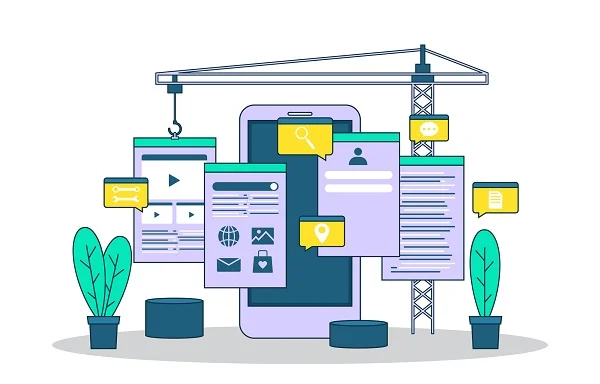
Professional Design and Trust Signals Build Instant Credibility
A Melbourne accountant couldn’t understand why her website generated few enquiries despite investing $7,000. The culprit? Stock photos of models in suits and generic testimonials. Potential clients instantly recognised the inauthenticity and left.
Professional design signals professional service. It’s not about being fancy—it’s about being polished, intentional, and trustworthy. Amateur design signals amateur business, regardless of your actual expertise.
Authentic photography showing your actual work, real team members, and genuine completed projects builds confidence that stock photos simply cannot match. 75% of consumers judge a business’s credibility based on website design quality, and customers spot stock imagery instantly.
Detailed testimonials from real people with full names and photos provide powerful social proof. “Sarah helped us increase website traffic by 145% in three months” proves far more compelling than “Sarah is great at SEO” from “Happy Customer.”
Clear Value Proposition Passes the 10-Second Test
Visitors should understand what you offer and why they should choose you within 10 seconds. Avoid clever marketing speak that sounds impressive but says nothing. Be direct about problems you solve, specific benefits you provide, who you serve, and what makes you different.
Strategic Contact and Mobile-First Experience
Display phone numbers prominently with click-to-call functionality on mobile devices. Provide multiple contact methods (phone, form, email) and place contact information in headers, footers, and strategic locations throughout your site.
With over 60% of website visits coming from mobile devices, your website must work perfectly on smartphones—fast loading times, touch-friendly navigation, easily readable content without zooming, and forms working smoothly on small screens.
Performance Optimisation: Speed Equals Conversions
Pages taking longer than 3 seconds to load experience significant visitor abandonment. Google’s Core Web Vitals—measuring loading speed, interactivity, and visual stability—directly impact both user experience and search rankings with three key benchmarks: LCP under 2.5 seconds, INP under 200 milliseconds, and CLS below 0.1.
Fast websites convert visitors more effectively because users trust quick-loading sites, Google rewards speed with better rankings, and mobile users expect instant responses.
Local SEO Foundation
Include your service areas, local landmarks, and location-specific content. Ensure your Name, Address, Phone (NAP) information matches exactly across your website and all online directories—this consistency helps Google understand and trust your business location.
At Illume Digital, we develop every website with mobile-responsive design and fast loading speeds as the foundation, ensuring your site performs flawlessly across all devices from day one.
11. What Features and Tools Does Your Website Actually Need?
Beyond design, what functionality transforms your website into a powerful business tool?
The right functionality transforms your website from a digital brochure into a powerful business tool supporting your operations and customer interactions.
Contact Forms and Communication Tools
Well-designed contact forms ask for essential information without overwhelming prospects—typically name, phone, email, and project details. These capture leads when visitors prefer not to call immediately.
Click-to-call functionality on mobile devices allows customers to call with one tap, removing friction from the contact process.
Live chat or chatbots can answer common questions outside business hours and qualify basic enquiries. Alternatively, many small businesses succeed by making direct, personal contact their key differentiator—prominent phone numbers and emphasised response time guarantees.
Booking Systems and Appointment Scheduling
If your business requires appointments—whether you’re a consultant, healthcare provider, or service professional—online booking systems eliminate phone tag and provide 24/7 scheduling convenience. Customers see your availability and book directly, reducing administrative time while improving customer experience.
Modern systems integrate with your calendar, send automatic confirmations and reminders, and can collect deposits or payments upfront.
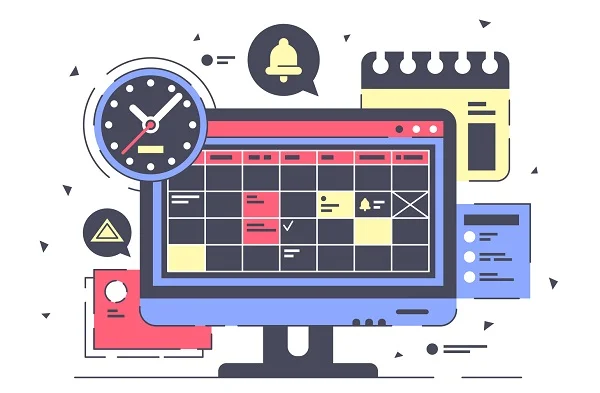
E-Commerce and Payment Options
Even service-based businesses benefit from e-commerce functionality for selling products, accepting deposits, or enabling gift certificate purchases. Professional payment processing builds trust and provides convenience that can differentiate you from competitors.
Secure payment systems include options like credit cards, PayPal, and bank transfers, making it easy for customers to pay however they prefer.
Business Integration Capabilities
Your website becomes more powerful when it connects with your existing business tools.
CRM Integration: Ensures website leads automatically enter your customer management system, preventing lost opportunities and improving follow-up consistency.
Email Marketing Integration: Allows you to nurture leads through automated sequences, keeping your business top-of-mind for future projects.
Choosing the Right Features
Not every business needs every feature. Start with functionality addressing your most common customer interactions and biggest operational challenges. You can always add features as your business grows and needs evolve.
12. How Can a Small Business Website Optimise for Google Search and AI Overviews?
How do you get your website to actually appear in Google search results?
A professional website integrates technical SEO, Core Web Vitals, and authoritative content, allowing it to rank for long-tail, purchase-intent keywords and appear as a reliable source in Google’s AI Overviews (AIO). Optimisation means delivering a superior, fast user experience (UX) on mobile devices, which Google rewards directly with higher search visibility.

Consider two local tradesmen. Plumber A has a simple, static website written in 2018. Plumber B invests in a modern, fast, mobile-first site with a detailed blog section answering common local questions like, “How much does a hot water system replacement cost in Brisbane?” When an AI search engine is asked that specific question, Plumber B’s site is often cited as the authoritative source, leading directly to a booking or call.
Key Optimisation Elements:
Google’s Shift to User Experience: Google’s latest algorithm updates emphasise user experience (UX) as a primary ranking signal. You can no longer win on keywords alone; the site must be technically excellent, fast, and stable.
Core Web Vitals and INP: Technical performance is measured using Core Web Vitals (CWV). Meeting or exceeding these benchmarks is essential for maintaining visibility—LCP under 2.5 seconds, INP under 200 milliseconds, and CLS below 0.1.
Authority in the Age of AI Search: The rise of AI Overviews (AIO) and AI-powered chat search in 2025 has emphasised content quality and trustworthiness (E-E-A-T). High-quality, authoritative content from credible sources gets cited.
Technical Foundation (On-Page SEO): Sites need Security using SSL certificates, must prioritise Speed (Core Web Vitals) for fast loading, be Mobile-First to cater to the majority of traffic, and have a Clear Structure with proper HTML headings and XML Sitemaps for search engine understanding.
Crucial Expectation Setting: The Reality of SEO ROI
SEO is a long-term strategic asset, not a quick fix like paid advertising. Be transparent about the timeline:
- No Instant Guarantees: No reputable agency can guarantee immediate rankings
- Patience is Required: Expect 3-6 months before seeing significant results
- Compounding Results: Unlike paid ads, SEO results build and compound over time, creating perpetual, high-quality traffic
Closing Takeaway: Technical speed and seamless mobile UX—measured by Core Web Vitals—are as important as keyword strategy. Investing in professional design ensures this technical foundation is robust, setting you up for organic growth.
13. What Legal and Security Requirements Must Your Website Meet?
What regulations, security measures, and accessibility standards should your website comply with?
Your small business website must meet crucial technical, legal, and accessibility requirements. Understanding these obligations protects your business from liability, builds customer trust, and ensures your website serves all potential customers.
Privacy Compliance and Data Protection
When your website collects customer information—even just names and email addresses—you must comply with privacy regulations.
Australian Privacy Act: Businesses with an annual turnover of $3 million or more must comply with the Australian Privacy Principles (APPs). Even smaller businesses should follow privacy best practices.
Your website needs a clear, accessible privacy policy explaining what information you collect, how you use it, who you share it with, and how customers can access or correct their information.
Website Security Essentials
SSL certificates (HTTPS) are mandatory. Your website MUST use HTTPS, not HTTP. SSL certificates encrypt data between your website and visitors, protecting sensitive information. Google also gives ranking preference to secure sites. Most hosting providers offer free SSL certificates through Let’s Encrypt.
Regular security updates are critical. Websites built on platforms like WordPress require regular updates to plugins, themes, and core software. Maintain regular backups of your entire website and use strong, unique passwords with two-factor authentication.
Web Accessibility Standards
Accessibility matters because it’s the right thing to do, and Australian disability discrimination laws require providing equal access to services, including websites. While not strictly legally required for all Australian businesses, following WCAG 2.1 Level AA standards represents best practice.
Key accessibility wins include adding descriptive alt text to all images, ensuring good colour contrast between text and backgrounds, making all functionality keyboard-accessible, using clear headings and page structure, and providing text alternatives for audio and video content.
Terms, Conditions, and Copyright
Depending on your business type, you may need terms and conditions covering service delivery expectations, payment terms, and limitations of liability. E-commerce sites especially need comprehensive terms covering returns, shipping, and warranty information.
Protect your content with copyright notices and ensure you have proper rights to all images, videos, and fonts on your site.
At Illume Digital, we build these requirements into every website from the start—SSL certificates, privacy-compliant forms, and secure foundations. Our Website Maintenance packages include ongoing security updates, ensuring your site remains protected.
14. What Common Errors Turn Visitors Away, and How Can You Avoid Them?
Some website mistakes are immediately obvious—broken links, spelling errors, outdated information. Others are subtle but equally damaging—confusing navigation, poor mobile experience, or missing trust signals.These errors can have serious financial implications.
Navigation and User Experience Problems
Confusing navigation drives visitors away within 10-15 seconds. Keep navigation simple with clear labels, limit menu items to 7 or fewer categories, and ensure consistency across all pages. Hidden contact information guarantees lost business. Display phone numbers prominently in your header and footer and make them clickable on mobile.
Content and Technical Mistakes
Unclear value propositions confuse visitors. Be specific about problems you solve and benefits you provide, avoiding vague statements like “We provide quality service.” Industry jargon alienates potential customers. Write in plain language and explain technical terms clearly.
Slow loading speed causes abandonment. Visitors abandon sites that take longer than 3 seconds to load. Optimise images, use caching, and test speed regularly.
A poor mobile experience loses half your potential customers. Ensure your site is fully responsive, make buttons easy to tap, and simplify forms for mobile completion.
Design and Trust Issues
Generic stock photos create distance rather than connection. Invest in authentic photography of your actual work, team, and premises. Missing trust signals fail to convert visitors. Include genuine customer testimonials with real names and faces, display credentials and certifications, and showcase completed projects.
Outdated information destroys credibility. Keep copyright dates current, remove expired promotions immediately, and review all content annually. Complicated contact forms discourage submissions. Ask only for essential information—name, email, phone, and brief message.
SEO Visibility Mistakes
Ignoring local SEO means missing your best opportunities. Include location information throughout your site, optimise your Google Business Profile, and ensure NAP (Name, Address, Phone) consistency. Missing meta descriptions hurt click-through rates. Every page needs unique, compelling descriptions for search results.
Prevention Strategy
At Illume Digital, our Web Design and Website Maintenance packages transform this long list of potential failures into a simple, worry-free process with continuous monitoring, proactive optimisation, and quarterly reviews. We don’t just fix problems—we prevent them before they ever cost you business.
15. How Do You Measure Website Success and ROI?
Track conversions and revenue to prove your site’s ROI.
Measuring website success goes far beyond simple page views; it requires tracking metrics that directly tie back to your business goals and deliver tangible Return on Investment (ROI). For a small business, success is defined by what the website converts, not just what it shows. To properly measure your asset, configure monitoring tools like Google Analytics 4 (GA4) to report these specific actions.
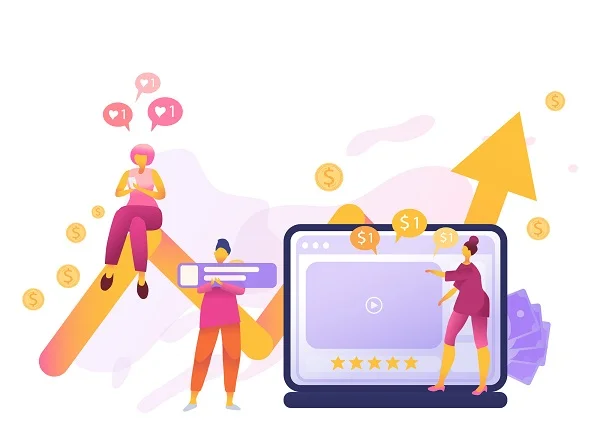
The Three Key Pillars of Measurement
- Conversions: This is the most crucial metric. A conversion is any action a visitor takes that moves them closer to becoming a customer—form submissions, phone calls (tracked using clickable mobile numbers), quote requests, or direct sales.
- Traffic Quality & Engagement: Focus on who is visiting, not just how many. Key indicators are Bounce Rate (percentage of visitors who leave immediately) and Pages Per Session (how deeply visitors explore your site). Low bounce rates and high engagement show your content is relevant and trustworthy.
- Revenue Generation: Ultimately, ROI is calculated by comparing total money spent on the website (design, maintenance, hosting) against the revenue the website directly generates.
By strategically tracking these three pillars, you move from simply monitoring activity to confidently optimising your site to be your most profitable sales tool.
16. What Website Maintenance Do You Need After Launch?
Who handles updates, and what ongoing support do you need?
After launch, you can handle routine content updates yourself—updating text and service descriptions, adding blog posts, uploading new photos, and updating business hours. Modern content management systems make these tasks simple without requiring technical knowledge.
However, professional help is essential for technical issues (website errors, security concerns, broken functionality), design changes (major visual updates, new features, restructuring navigation), and advanced SEO and marketing strategies.
Full Ownership and Ongoing Support
At Illume Digital, you have full ownership of all pages, content, and purchased images and tools specifically for your business. You own your domain name, hosting account, and all website content. We never hold your website hostage—you can take it to another provider anytime.
We view our relationship with clients as long-term partnerships, not one-time transactions. Our Website Maintenance packages include regular security updates and backups, performance monitoring and optimisation, allocated hours for content updates monthly, priority support for any issues, and ongoing technical assistance.
We provide ongoing support, proactive recommendations for improvements, regular check-ins to ensure satisfaction, and assistance as your business evolves and needs change.
If your current website struggles with multiple issues—outdated design, poor mobile performance, security concerns—you might be facing a bigger decision. Feel free to contact us if you want to see whether it’s time to rebuild your website and to assess your options.
17. Conclusion: Your Website is an Asset, Not an Expense
This guide showed you that building a professional small business website is about creating a strategic asset that genuinely grows your business, not just having a fancy design. Your website should work as your 24/7 salesperson, building credibility, capturing leads, and converting visitors while you serve existing clients. Success relies on setting clear goals and making strategic decisions that serve your specific business needs.
You don’t have to navigate this journey alone. Professional guidance makes the difference between a site that sits unused and one that becomes your most valuable marketing tool.
At Illume Digital, we are your long-term business partner. We help you make smart decisions about when to invest and how to maximise the ROI from your website. Your competitors are capturing customers right now—don’t lose another month of opportunities.
Take the Next Step Today
Contact us for a free consultation. Let’s discuss your specific situation, answer your questions, and show you exactly what’s possible for your business online. No pressure, no jargon—just straightforward advice from people who genuinely care about your success. Your journey starts with a conversation—let’s have it today.